Over the past few years, I have spent quite a lot of time working on topics related to Container Security. Whether it is Docker, container image security, Dockerfile hardening, runtime security, or software supply chain security, these have been areas I often study and share with others. In 2025, I was also honored to become the first Docker Captain in Taiwan.
This time, I wanted to continue learning and challenging myself in the field of container security, so I decided to take Practical DevSecOps’ Certified Container Security Expert, also known as CCSE.
There were a few reasons behind this decision.
First, I wanted to take another practical, hands-on certification exam. Second, I often position myself as a technical consultant and instructor in container security, so taking more container-security-related courses and certifications felt like a reasonable next step.
In other words, I dug a hole for myself and then jumped right into it. 😂😂😂
Another reason is that I still believe containers are one of the most important technologies today and will continue to be important in the future. In recent years, people seem to talk less loudly about how important containers are. But that is not because containers are no longer important. It is because containers have already become part of everyday development, deployment, DevOps, and cloud-native environments.
Containers have become part of the default background of modern systems.
It is just that AI is so hot right now that almost every other technology has been pushed to the side as a supporting character. XD
In this article, I will share my experience preparing for the CCSE course and exam. I previously passed another Practical DevSecOps certification, Certified DevSecOps Professional, also known as CDP. If you are interested in CDP, you can also check out my earlier review.
This article will cover the following topics:
- Introduction to the CCSE
- CCSE course and labs review
- How much time I spent preparing
- CCSE exam rules
- My exam experience
- Preparation tips
- Conclusion
Introduction to the Certified Container Security Expert Certification
Certified Container Security Expert, or CCSE, is a hands-on container security course and certification offered by Practical DevSecOps.
The focus of this course is very clear: container security. The course starts from container fundamentals, then moves into container reconnaissance, container attacks, defense of containers and containerized applications, and finally container security monitoring.
According to the official course outline, the CCSE course is mainly divided into five chapters:
- Chapter 1: Introduction to Containers
- Chapter 2: Container Reconnaissance
- Chapter 3: Attacking Containers and Containerized Apps
- Chapter 4: Defending Containers and Containerized Apps at Scale
- Chapter 5: Security Monitoring of Containers
More details: https://www.practical-devsecops.com/certified-container-security-expert/
The first chapter starts with very basic container concepts, such as what a container is, the difference between containers and virtualization, namespaces, cgroups, capabilities, Docker architecture, Dockerfile, image layers, registries, Docker Compose, Docker Swarm, Kubernetes, Podman, CRI-O, and so on. These are all very important fundamentals.
The second chapter focuses on container reconnaissance. It begins to discuss attack surface analysis in the container ecosystem, including Docker images, Dockerfiles, environment variables, volumes, networks, port forwarding, registries, and how to analyze these components using Docker’s built-in tools or third-party tools.
The third chapter, Attacking Containers and Containerized Apps, is more offensive in nature. It covers topics such as malicious images, finding passwords, tokens, and TLS certificates from images or containers, attacking insecure registries, abusing privileged containers, mounted Docker volumes, SetUID and SetGID, shared namespaces, Linux capabilities, unauthenticated Docker APIs, and more. I personally expected more attack-focused content and more labs in this section. I am not sure whether they will continue adding more content in the future.
The fourth chapter is probably the most important part of the course, at least in terms of volume. It is also the chapter that takes the most time: Defending Containers and Containerized Apps at Scale.
It covers secure container images, base image selection, distroless images, scratch images, Dockerfile linting, container image vulnerability scanning, Docker daemon security, user remapping, Docker socket security, seccomp, AppArmor, network segregation, content trust, image signing, registry security, Harbor, Dockle, Trivy, Hadolint, and many other tools and concepts.
This chapter approaches defense from multiple angles. It includes many practical concepts and tools that can be brought back and applied in real-world environments after you become familiar with the labs.
The fifth chapter is Security Monitoring of Containers. It discusses Docker events, logs, container incident response, runtime prevention, and container security monitoring using tools such as AuditD, Falco, Tracee, and Wazuh.
Overall, I would say this course covers three major areas: fundamentals, offense, and defense. Personally, I also consider monitoring to be part of defense.
But based on my own experience, the defensive content is clearly more extensive than the offensive content. It also feels closer to what this certification really wants to test.
CCSE course and labs review
The course starts from very simple topics, including many basic Docker concepts and commands.
So if you are completely new to Docker, the early parts of the course are quite friendly. In fact, the beginning of the labs even includes some mandatory Linux basics. For example, Docker commands, Docker networking, volumes, Dockerfiles, image building, container registries, and similar topics all come with step-by-step labs.
If you are a developer or DevOps engineer, you are probably already familiar with these topics. But ironically, although this is a container security course and most people who take it are likely security professionals, many security engineers I have met in Taiwan are actually not that familiar with the operational side of Docker. XD
If you are already familiar with Docker, the first chapter can be completed fairly quickly. The early content should not be too difficult for anyone with container experience.
However, there is one small catch: you cannot simply skip it just because you already know it.
This is something I find interesting about Practical DevSecOps’ course design, but it is also a double-edged sword.
Their labs usually require you to complete tasks step by step, and the platform controls your progress. In other words, you cannot just say, “I already know this,” and skip the exercise. You still have to actually complete it, otherwise the task will not be marked as completed.
This design is great for beginners because it ensures that you really go through the process at least once.
But for people who are already familiar with the topic, sometimes you may think, “I already know this. Can I just skip it?”
The answer is no.
You still have to do it properly. That said, I think the lab design is genuinely very good.
The labs are browser-based online labs, so you do not need to build your own environment or mess up your own computer with strange configurations. Most commands can be copied and pasted directly. The lab environment itself was also quite stable during my practice. I did not experience any serious lag.
To be honest, I really like their lab environment. It is one of the main reasons why I chose another Practical DevSecOps certification after taking CDP.
Many labs include final tasks that you need to complete. After finishing a task, you can click something like a “Check your task” button to verify whether you actually completed it.
I think this is important because it is not just watching videos or answering multiple-choice questions. The course really requires you to operate inside the environment.
Of course, the labs are not so difficult that they give you no guidance at all. Many tasks include hints. Sometimes the commands required to complete the task are already included in the teaching material. As long as you are willing to read carefully and follow the steps, you usually do not need to worry too much about the earlier labs being too difficult.
My Preparation Time
This time, I mainly prepared after work and during the weekend. In total, I spent around 7 to 8 days preparing. I spent about 3 to 4 hours per day, roughly completing one chapter per day. On the final day, I took the mock exam and did a full review.
However, Chapter 4, Defending Containers, contains much more content than the others. I think this chapter alone needs at least two days. If this is your first time working with topics like seccomp, AppArmor, or image signing, you may need even more time.
Some optional content also involves CI/CD-related topics, and I recommend practicing those as well. Since I already had experience in this area, it did not take me too much time. But if this is your first time touching CI/CD, it may take much longer.
To be completely honest, I underestimated the exam at first.
Because I am already familiar with containers and container security, and because I have taught container security courses before, I was a little too relaxed when I started preparing.
I thought, “I have seen most of this. I have taught this. I have practiced this. It should not be too hard.”
My mindset was basically the Gojo Satoru meme: “Nah, I’d win.”
And then during the actual exam, I realized that I was wrong. If I could do it again, I would spend more time on the labs. Not just completing the tasks, but really practicing and organizing the commands, configuration parameters, possible variations, output interpretation, and troubleshooting steps behind each operation.
I strongly recommend taking notes while going through the course and labs, especially for lab procedures and commands.
This is extremely important.
The official exam rules also remind you that you cannot access the course labs during the exam. In other words, you cannot open the original lab during the exam and simply follow the course commands.
However, you can use your own notes, and you can search online. The only thing you cannot use is the course lab itself during the exam. So your notes are your weapon. Without good notes, the exam will be painful.
My suggestion is to complete both the mandatory and optional labs as much as possible. Do not only do the mandatory labs.
The optional labs contain many things that help deepen your understanding. Although the exam is based on the course content, it does not simply copy the labs exactly. You need to really understand what those operations are doing.
CCSE Exam Rules
The CCSE exam is a hands-on practical exam. In format, it feels somewhat similar to OSCP, or to CDP, another certification from Practical DevSecOps that I previously took.
It is not a multiple-choice exam. It is not about memorizing a question bank. You are given a lab environment and asked to complete tasks. Practical exams are really solid. People who have gone through them know the feeling: if you put in the effort, you are a warrior.

The CCSE exam is an online practical exam that you can take from home. You receive an exam link and connect to the lab environment. The exam has 5 challenges and lasts 6 hours. After the exam, you have about 24 hours to write and submit your exam report. The passing score is 80 points, or 80%.
The official rules also clearly state that Chat Bots such as ChatGPT and Bard are not allowed during the exam.
I think this is very important. It makes the certification more valuable, but it also makes the exam much more difficult and exhausting. Practical DevSecOps certifications seem to have similar rules. The exam clearly prohibits the use of AI. The official documentation also says that if you are found to have used AI, you may fail directly and may not receive further explanation.
So please be careful. Do not gamble with your exam attempt.
Another thing to note is that, at least when I scheduled my exam, the exam could only be booked on Saturday or Sunday. I remember the official explanation was something like they wanted to avoid students skipping classes, so exams were limited to weekends.
This is a little different from many certifications that allow you to schedule exams on weekdays. After passing the exam, the official result is sent within 72 hours. They only tell you whether you passed or failed. You do not receive your score. This was also consistent with my own experience. I received my passing result within 72 hours.
One more reminder: after registration, you still have lab access for a period of time. Even after passing the exam, you can still review or continue practicing during your access period.
In my case, my plan included 60 days of lab access. But official plans may change, so please always check the latest information before registering.
My Exam Experience
I scheduled my exam for Saturday morning at 9:00 AM.
After booking it, I realized there was a cybersecurity study group in the afternoon on the same day.
At that time, I was very confident. I thought, “I am a container security person. I should be able to finish the exam early, go to the study group in the afternoon, and then come back to write the report.”
Looking back now, I was way too naive. 😅
On the morning of the exam, after breakfast, I opened the exam link. When I saw the questions, I was immediately a little shocked.
My first thought was: “Wait… why does this feel kind of hard?”

Was it out of scope? No, not really.
Everything was within the course scope. They were also all things that someone studying container security should understand.
But the exam was not the kind of task where you can simply copy and paste commands from the labs and pass.
It required you to actually understand the technology, understand the scenario, and combine different pieces of knowledge together.
Once I started working on the challenges, the feeling became even clearer: Okay, this is much harder than expected.
I spent more than 30 minutes at the beginning before even properly touching the keyboard. I first read through all five challenges and organized my thoughts. - I think this step was very important.
For each challenge, I tried to identify the possible approach, the method, the commands I might need, and which parts of my notes could be useful.
Six hours sounds like a lot, but it is actually very short for this kind of exam. If you just start working without planning, it is easy to realize too late that your direction was wrong, or to get stuck on one challenge for too long and run out of time for the rest.
So doing a full initial review and planning the approach was my strategy, and I would recommend it to others as well.
That being said, even after planning everything, it still took me around 3 hours to finish the first challenge. XD
Half of the exam time was gone. My heart also sank halfway.
After that, I entered a state of complete focus. Other than drinking water and going to the bathroom, my eyes never left the screen, and my fingers never stopped typing. I kept reading the questions, checking my notes, thinking through approaches, running commands, fixing errors, taking screenshots, and collecting evidence.
I tried to be as fast, accurate, and complete as possible. Anyone who has taken a practical exam knows this: for this type of exam, the most important thing is not only whether you can do the task.
You also need to prove that you did it. Commands, explanations, and screenshots. All three are necessary. Especially screenshots.
If your report does not include the correct screenshots, then even if your commands are right and your explanation is beautiful, the reviewer may not be able to confirm that you actually completed the task. Without screenshots, your work may basically not count.
This time, I really fought until the very last second. I am not exaggerating. When the lab countdown had only 3 seconds left, I pressed Enter and submitted the final command. The output appeared on the screen, and the next second, the time was up and the lab disconnected.
That moment was extremely intense.
Fortunately, although the lab disconnected, the screen remained visible, so I was still able to take a screenshot of the final result. Otherwise, I probably would have collapsed emotionally. XD
By the end of the exam, I had completed all five challenges. But I still felt very nervous.
This exam is not like a CTF where you submit a flag and immediately know whether you are right. It is also not a multiple-choice exam where you can roughly estimate your score. It is more like completing a real task and then using your report to prove that what you did was complete and correct. Although I felt that I had completed all five challenges, there were still a few small imperfections in some of them.
So after the exam ended, I did not dare to relax. I immediately started writing the report very seriously.
And this part… I originally thought the report would be easy. It was not. XD
The report took me around another 5 hours. I had to organize the goal of each challenge, the steps I performed, configuration file contents, command outputs, screenshots, and necessary explanations.
More importantly, the reviewer needs to clearly understand what you did. You cannot just paste a bunch of commands and screenshots without context.
In the end, I uploaded a report that I was quite proud of.
Then I waited. Within about 72 hours, I received the passing result.
I was extremely happy and finally felt relieved. That feeling was really like finishing a tough battle. 😆
It was not just about getting another certificate. It felt like I had really been tested, and that I had truly worked hard to complete it.
My Thoughts on the Course and Exam
I think CCSE is a very solid container security course.
It covers many different aspects of container security, including basic operations, attack surface understanding, container attacks, image hardening, Dockerfile security, scanners, CIS benchmarks, seccomp, AppArmor, image signing, registry security, runtime monitoring, and more.
To put it simply: I recommend this course and certification. Of course, I also recommend CDP.
From another perspective, CCSE does not only teach you container security. If you seriously complete the labs, especially both mandatory and optional labs, you will develop a very important skill: when facing a technical scenario, you learn how to break down the problem, find the right commands, troubleshoot errors, verify results, and preserve evidence.
This ability is not only useful in container security. It is important in almost every technical field. Compared with CDP, which I took before, I think CCSE is not as broad or complex. CDP involves more DevSecOps, CI/CD, SCA, SAST, DAST, Infrastructure as Code, Compliance as Code, and different platforms and components. So overall, CDP feels broader and more scattered.
CCSE, on the other hand, is much more focused on container security.
But that does not mean it is easy. It is “more focused,” not “easier.”
The exam is genuinely challenging. If you only copy and paste through the labs without understanding them, you may get destroyed during the exam. That was basically what happened to me at the beginning.
I was too confident. I thought I already knew these things well. Then the exam taught me a lesson.
Exam Preparation Tips and Reminders
If you are planning to take CCSE, here are a few suggestions.
- First, take notes.
And do not just write down “I completed this lab.”
You need to be familiar with the lab content. Ask yourself: if the scenario changes slightly, can I still complete the task? - Second, I recommend completing both mandatory and optional labs.
Mandatory labs are only the baseline. Optional labs help you understand more variations.
The exam will not appear exactly the same as the labs. What you need is understanding, not memorization. - Third, do not underestimate the report.
This exam has no flag submission and no multiple-choice questions. The grading depends heavily on your report.
Your report needs to help the reviewer understand what you did, why you did it, what the result was, and where the evidence is. Commands, explanations, and screenshots are all necessary. - Fourth, read through all the questions first and allocate your time.
I spent 3 hours on the first challenge, and the pressure afterward was huge. This was a small mistake on my part.
If I had not read all the questions first, the situation might have been even worse. So I suggest quickly reviewing all challenges at the beginning, estimating their difficulty, organizing your approach, and then starting the actual work. - Finally, as I have said in previous certification reviews, you will usually know whether you are ready while practicing the labs. If you often have no idea what you are doing and are only copying and pasting commands, then do not rush to book the exam.
If you can understand each step, modify commands by yourself, troubleshoot errors, and verify results independently, then you are probably much closer to being ready.
Conclusion
To summarize, I definitely recommend the CCSE course and certification.
The course is detailed, diverse, and includes many hands-on labs. The exam is also truly worth challenging. It is not the kind of certification where you just watch videos, memorize questions, and click through multiple-choice answers. It forces you to actually operate, actually understand, actually collect evidence, and actually write a report.
If you want to learn container security, or if you want to prove that you do not just know Docker but truly understand container security, I think this certification is worth considering. Of course, before starting this course, I already had some practical experience with container security. I had also given talks and training related to this topic.
So if you are completely new to containers, you may need more preparation time. Do not use my 7 to 8 days as your standard.
I spent around 8 days preparing, but that was based on my existing Docker and container security experience. In general, if you only have basic Docker experience, I would suggest giving yourself at least a few weeks. Complete the labs properly, organize your notes, and then schedule the exam.
Finally, as a technical person, I want to say this:
Practical exams do not lie.
Once the exam environment opens, you will immediately know whether you really understand the material. If you pass, it means you truly earned it.
For me, CCSE was a tough, intense, and rewarding exam. I was very happy after passing, and I do feel that this certification carries weight.
Of course, I am not saying it is as difficult as OSCP or OSEP. But I do want to remind everyone: do not underestimate it just because it is “only containers” or because the exam gives you six hours.
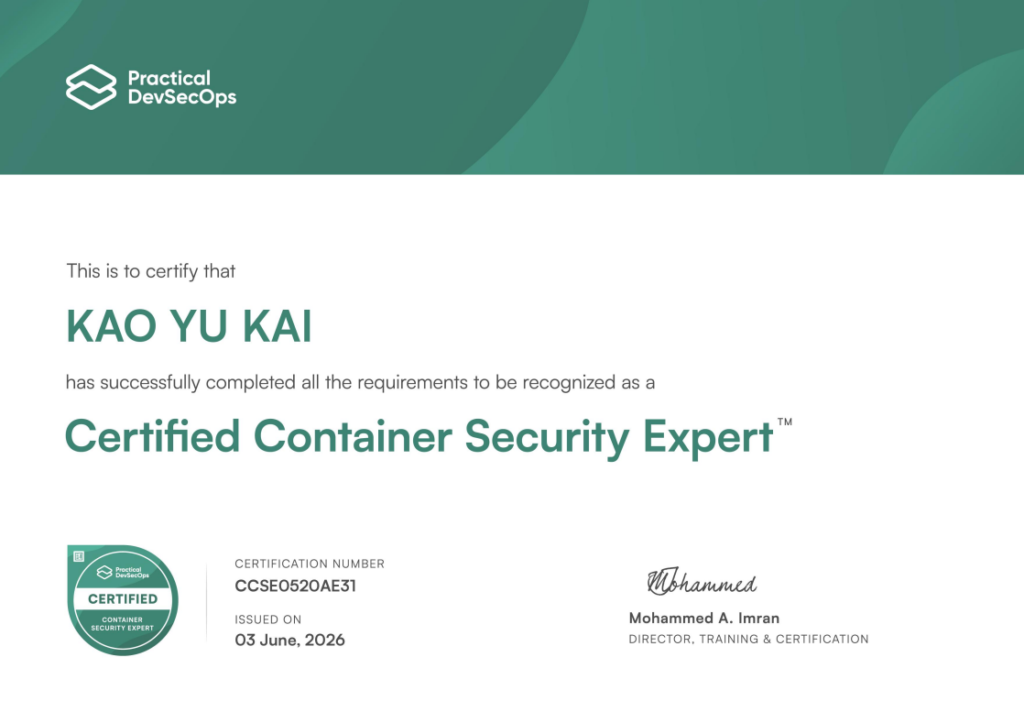
Finally, here is my Certified Container Security Expert certificate.
Additional Notes
As mentioned earlier, before taking the CCSE course and exam, I already had a certain level of familiarity and practical experience with container security.
Over the past few years, I have also written and shared several pieces of content related to Docker, container security, Docker Scout, and container image security.
If you are interested in container security, you can also check out my other articles and videos.
致Dev 與Ops 的容器安全小提醒
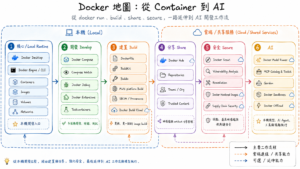
從 docker pull 到 docker ai:一張重新認識 Docker 的地圖
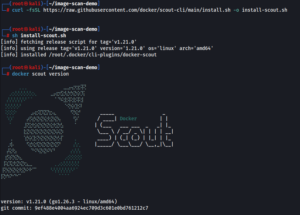
從 Docker Scout 到 Trivy、Grype:常見容器映像檔掃描工具操作與比較
Docker 新功能”Ask Gordon”:讓 AI 來幫你除錯與修復容器問題
完整解說:Docker Model Runner (DMR) 入門教學
Docker Desktop 入門介紹 | Docker Desktop on Windows